
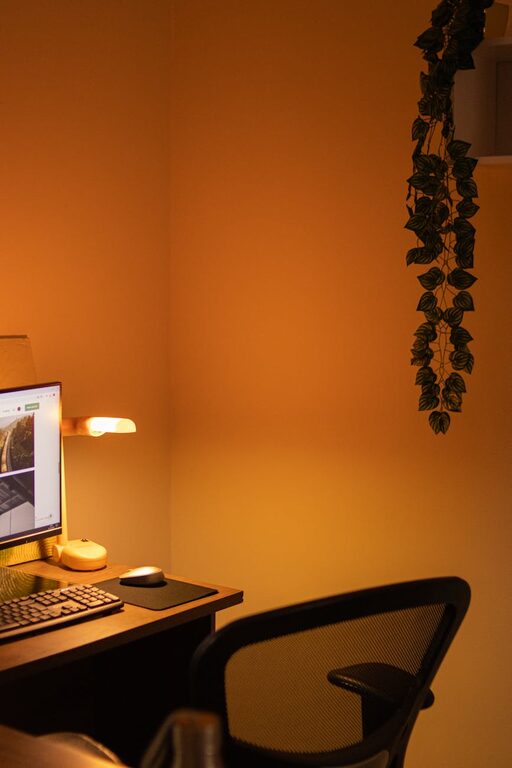
Creating a relaxing home workspace that promotes productivity and comfort is essential for anyone working remotely or spending significant time at home. A well-designed workspace can reduce stress, increase focus, and make your workday more enjoyable. Whether you have a dedicated room or just a small corner, these tips will help you transform your space into a peaceful and efficient environment.
1. Choose the Right Location
Finding the ideal spot at home is the first step toward creating a relaxing workspace. Look for an area with minimal distractions and enough space for your work essentials.
– Natural light: Set up near a window if possible. Natural light helps boost mood and energy levels.
– Quiet space: Choose a quiet corner or a room where you won’t be disturbed frequently.
– Comfortable temperature: Avoid areas prone to extreme temperatures to maintain comfort.
2. Invest in Ergonomic Furniture
Comfort affects productivity more than many realize. Ergonomic furniture supports good posture and prevents strain.
– Chair: Invest in an ergonomic chair with adjustable height and lumbar support.
– Desk: Ensure your desk is at a comfortable height. Standing desks or adjustable desks are great options for movement variety.
– Accessories: Use footrests, keyboard trays, or monitor stands to improve your posture.
3. Keep Your Space Organized
A cluttered workspace can increase stress and decrease focus. Try these organization tips.
– Storage solutions: Use shelves, drawers, or bins to keep supplies tidy.
– Minimal essentials: Only keep frequently used items on your desk.
– Daily tidying: Spend a few minutes each day clearing your workspace.
4. Use Calming Colors and Decor
Colors and decor influence mood and concentration. Choosing calming and inspiring elements can create a pleasant atmosphere.
– Color choices: Soft blues, greens, or neutrals promote calmness.
– Plants: Adding greenery improves air quality and adds life to your space.
– Artwork: Select pieces that motivate or relax you without overwhelming the space.
– Personal touches: Include items that inspire you, like photos or meaningful objects.
5. Control Lighting Wisely
Proper lighting reduces eye strain and sets the right ambiance.
– Layered lighting: Combine natural light with ambient and task lighting.
– Adjustable lamps: Use desk lamps with adjustable brightness and direction.
– Avoid glare: Position your screens to avoid reflections and use curtains or blinds to manage sunlight.
6. Incorporate Noise Management
Background noise can either distract or help focus depending on your preferences.
– Noise-canceling headphones: Useful if your environment is noisy.
– Soft background sounds: Consider white noise machines or calming music.
– Soundproofing tips: Use rugs, curtains, or foam panels to reduce echo and noise.
7. Encourage Movement and Breaks
A relaxing workspace supports healthy work habits to avoid burnout.
– Stretch zones: Create space for stretching or quick exercises.
– Reminders: Use timers or apps to remind you to take regular breaks.
– Comfort supplies: Keep water, healthy snacks, and wellness items nearby.
8. Embrace Technology That Helps
Technology can improve your workflow when used thoughtfully.
– Cable management: Organize cables to avoid clutter.
– Efficient tools: Use keyboards, mice, or monitors that feel comfortable.
– Focus apps: Employ tools like task managers or focus timers to stay on track.
Conclusion
Setting up a relaxing home workspace is about balancing comfort and functionality. Paying attention to your environment, furniture, and habits can significantly increase your productivity and overall well-being. Start with small changes and gradually adjust your space until it feels just right. A thoughtfully designed workspace invites focus, creativity, and a more enjoyable work-from-home experience.